Star Press
- 3.3
- Rating
- 10.00K
- Installs
- Free
- Price

 Analysis by App-foxy
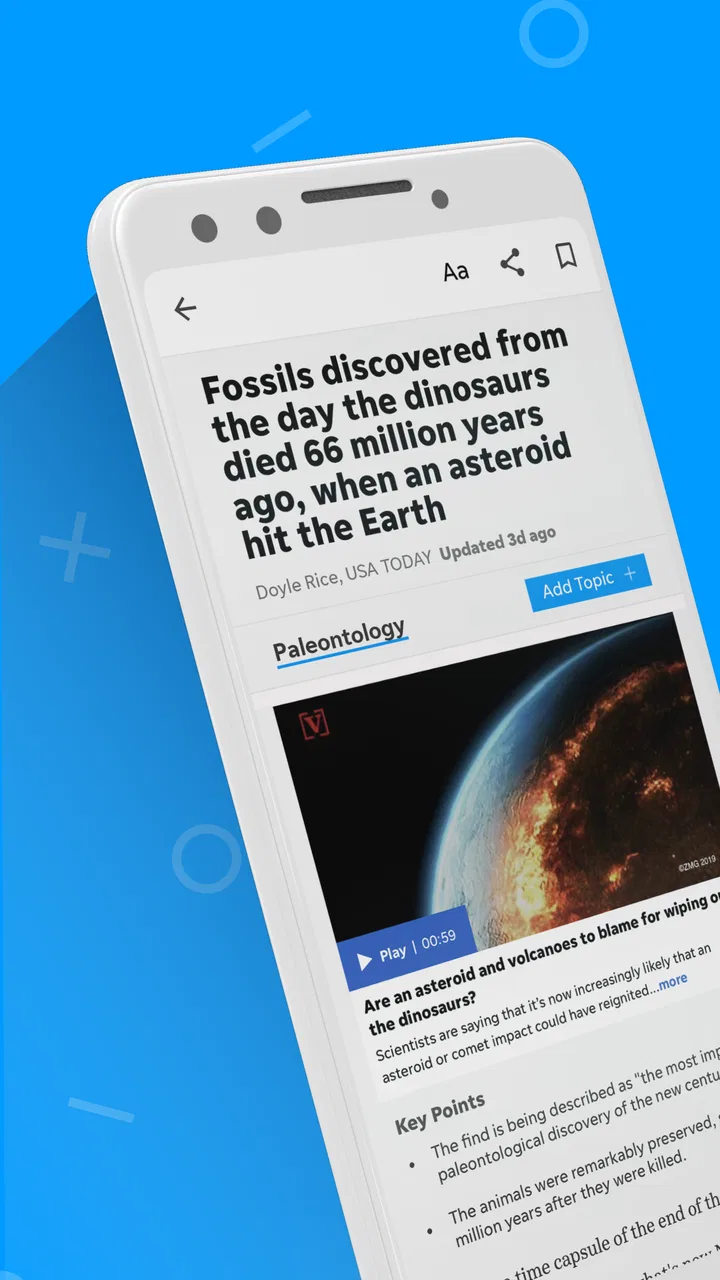
I spent time with Star Press as a mobile news and magazines app, and my overall impression is that it tries to make regional reporting feel as easy to reach as national headlines. That focus matters because many general news apps are excellent at major stories but less useful when I want to know what is happening close to home. Star Press sits in that more local-minded space while also bringing in photography and video, so it can work as a quick daily check-in rather than only a text-based news reader.
The app is developed by USA TODAY Co. and is free to install, which makes trying it straightforward. It is aimed at Everyone 10+, and its current version is 8.10.3 for devices running Android 8.0 or newer. The wider picture is more mixed: it has an average rating of 3.3 from around 300 ratings, with over 80 written reviews, and its install count is above 10,000. I read that as a sign of a useful but not universally loved local-news product. It deserves a fair trial, but I would not choose it blindly if reliability, privacy controls, or a very polished reading experience are my top priorities.
Where Star Press fits in a news routine
My first useful way to think about Star Press is not as a replacement for every news source. It is better understood as a focused window into local and national coverage, with visual material playing an important part. The local emphasis gives it a practical role in a morning routine: I can scan nearby developments first, then move to broader stories without opening several unrelated apps.
You May Also Like

 AccuWeather: Weather Radar
AccuWeather Review: A Quick, Clear Forecast for Everyday Decisions
For everyday plans, the best forecast is the one you can understand quickly. AccuWeather makes rain timing, radar, and local conditions easy to act on, with a few trade-offs.

 Hill Climb Racing
Why Hill Climb Racing Still Turns Crashes Into One More Run
A tiny car, a bumpy hill and one more upgrade: Hill Climb Racing keeps resurfacing because its simple chaos makes every near-miss feel personal.

 AliExpress - Shopping App
AliExpress Makes Global Shopping Feel Personal, but Shoppers Bear the Risk
AliExpress turns a global marketplace into a pocket-sized discovery engine. Its reach is useful, its shopping loop compelling, and its trade-offs easy to miss.

 Lords Mobile: Kingdom Wars
Lords Mobile Is a Kingdom-Building Routine, Not a Quick Match
A case-by-case verdict on the building, battles, device demands, and social commitments that make Lords Mobile rewarding for some players and exhausting for others.

 PDF Scanner app - TapScanner
TapScanner Makes Paperwork Easier to Capture, Check, and Share
TapScanner makes scanning with a phone feel less like a rescue operation and more like a dependable step in getting work done. Its capture tools are useful, though not flawless.

 Block Blast!
 Shows How Much a Puzzle Game Can Leave Out
A quiet grid game shows why puzzle players increasingly value instant clarity, repeatable skill and low-pressure play—and where the genre still needs to catch up.
More From Our News Desk
View All News


That approach is especially helpful for people who follow community events, regional decisions, local sports, public safety updates, or stories that rarely become prominent in national apps. A large news aggregator may offer more breadth, but breadth can also bury the information that affects a person’s commute, neighborhood, school district, or weekend plans. Star Press feels more useful when relevance matters more than having every possible topic in one feed.
The photography and video are not just decorative extras in the way I used the app. Visual coverage can help me understand a local event more quickly than a long article, particularly when the subject is a storm, road disruption, public gathering, or changing community space. At the same time, readers who prefer a quiet, text-first experience may find the richer presentation less efficient. I would use it for context and immediacy, not as a minimalist reading tool.
What the app does well for local readers
The strongest benefit is the combination of proximity and convenience. I do not need to begin with a broad national feed and hope a nearby story appears. The app’s purpose points me toward local reporting first, which reduces the effort involved in finding information that has direct day-to-day value.
A realistic example is a weekday morning when I am deciding whether to change my route. I can open Star Press, look for current local coverage, and then use the accompanying visual material to judge whether a story is relevant to my plans. I would still verify important travel or emergency details through official channels, but the app can serve as an early signal that something deserves attention.
It also works for a less urgent habit. I can check it during a lunch break to catch up on community stories, then watch a short piece of video when I do not have time to read every article. That flexibility makes it more approachable than a publication that assumes I will sit down for a long reading session.
Another practical strength is the mix of local and national material. Local coverage alone can feel narrow on days when little is happening nearby, while a national-only app can feel detached from everyday life. Star Press attempts to bridge those needs. In my experience, that makes it more suitable as a primary regional source with supplementary national awareness than as a complete news ecosystem.
Where it falls short compared with alternatives
The average rating suggests that the experience may not satisfy everyone, and I can understand why a reader might hesitate. A dedicated newspaper app often has a clearer identity and a more consistent editorial flow, while a general aggregator may provide faster topic discovery and a wider range of sources. Star Press occupies the middle ground: more focused than an aggregator, but not necessarily as broad or customizable as one.
If I want several viewpoints on a controversial national story, I would usually turn to a broader news service or read multiple publications directly. Star Press can help me notice the story, but a single publication-centered app is not the best place to build a complete comparison of perspectives. Conversely, if my only interest is local reporting, a publication app designed specifically for my town or region may offer a deeper archive and a more concentrated feed.
There is also a trade-off between video and speed. Rich media can make an article more engaging, but it may be less convenient when I am on a limited connection, in a quiet public place, or trying to conserve battery. I would not treat every visual element as necessary. When I only need the essential facts, I prefer to read the text and move on.
Readers should also pay attention to the payment model. The app itself is free, but in-app purchases range from $9.99 to $69.99 per item. That does not automatically make the app poor value, yet it means I would check the purchase screen carefully before confirming anything. Anyone who shares a device with children or wants to avoid accidental spending should review the platform’s purchase protections before using the app regularly.
Trust starts with knowing what I am choosing
For a news app, trust is not only about whether the reporting is interesting. It is also about whether I understand the product’s boundaries, what actions are available to me, and when I am being asked to make a decision. Star Press is presented as a free app from a recognizable publisher, but the presence of optional purchases means “free” should be read as free to install and begin using, not as a promise that every possible part of the experience has no cost.
I would approach the app with the same discipline I use for any publication: distinguish reporting from commentary, check the publication time on fast-moving stories, and compare major claims with primary sources when the consequences are serious. This is particularly important with local news because a short update can influence travel, work, school, or community decisions.
The age rating of Everyone 10+ is useful context for families, but it should not be treated as a guarantee that every story will suit every child. News can include upsetting events even when an app is broadly family-accessible. If a younger reader uses it, I would prefer an adult to establish expectations about sensitive coverage and purchases before handing over the device.
One detail I appreciate is that the app has been available for a long time, having first been released on August 31, 2012. Longevity can make a product feel more established than a brand-new news experiment, but it does not remove the need to judge the current version on its own merits. Older apps can carry years of design decisions, and the current experience matters more to me than the release date alone.
Controls I would check before settling in
I do not like assuming that an app offers a particular privacy switch, account setting, or notification control unless I can see it clearly in the current interface. My practical advice is to open the settings and account areas before making Star Press part of your routine. Look for choices related to alerts, personalization, subscriptions, and account management, and read each screen rather than accepting prompts automatically.
This is not a criticism unique to Star Press. News apps often become more intrusive when every alert is enabled, and the difference between a helpful update and constant interruption can be one setting. I would begin with only the alerts that have a clear purpose, then add more if they prove useful. If the app presents a registration or purchase prompt, I would pause and decide whether that step improves my reading experience before continuing.
Account control matters most when a person uses more than one device or shares access with family members. I would make sure I know which account is active before starting any purchase, and I would avoid leaving payment confirmation open on a shared phone. The listed purchase range makes this a sensible precaution, especially for households that want firm spending boundaries.
I would also review the app’s visible privacy and data explanations in the store and within the app itself. The key point is not to guess what Star Press collects or shares. Instead, I would read the permissions and data disclosures shown to me, consider whether each requested access makes sense for the features I intend to use, and decline optional access when the app allows that choice without breaking the core reading experience.
Moments when data awareness matters most
News apps can feel harmless because I am mainly reading, but the sensitive moments usually happen around prompts and personalization. A request for an account, a notification permission, a location-related choice, or a payment confirmation deserves more attention than a normal article screen. I would treat each as a separate decision instead of tapping through the setup process quickly.
For example, if I am opening the app during a busy morning and a permission prompt appears, I would postpone the decision until I understand why it is needed. If the app still lets me browse without granting it, that gives me more control over the experience. If a feature genuinely depends on a setting, I can enable it later with a clearer idea of what I am accepting.
Local news can also make personalization feel more valuable, because nearby stories are often more relevant than distant ones. The trade-off is that I should be comfortable with the choices used to produce that relevance. I would favor a setup where I can select topics or regions directly rather than relying on assumptions, whenever those options are visible. That makes the feed easier to understand and reduces the chance that an alert becomes noise.
Video introduces another practical consideration. I would avoid autoplay-style behavior when I am using mobile data, if the app provides a control for it, and I would watch larger pieces of coverage over a trusted connection when possible. This is not merely about cost; it also keeps the app from consuming attention unexpectedly. A news feed should fit around my day rather than dictate it.
How I would give myself more control
My preferred workflow is deliberately simple. I would open Star Press at set times rather than responding to every alert, scan local headlines first, and save deeper reading for a moment when I can concentrate. For urgent subjects, I would use the app as a starting point and then consult official public notices or direct statements. This keeps the app useful without asking it to be my only source of truth.
I would also separate casual browsing from purchase decisions. If a paid option appears while I am reading, I would note what it offers, check the price shown at the point of purchase, and decide later instead of buying impulsively. Because individual in-app items can cost from $9.99 up to $69.99, that pause is worthwhile. Families should add device-level purchase authentication as an extra safeguard.
For people concerned about account exposure, I would use the minimum account information required for the features I actually want, while carefully reading the app’s current account and privacy screens. I would not create an account merely because a prompt makes it feel necessary unless the benefit is clear. If I stop using the app, I would revisit the account area and remove any active settings or subscriptions that I no longer need.
There is also a useful editorial habit here: compare the presentation with the underlying claim. A dramatic photograph or compelling video can make a story feel more complete than it is. I try to read the surrounding text, check when it was published, and avoid sharing a striking item until I understand the context. Star Press’s visual strength is most valuable when it supports careful reading rather than replacing it.
Who should use it, and who should look elsewhere
I would recommend Star Press to readers who want local reporting close at hand, appreciate photography and video, and prefer a publisher-focused experience over an endless multi-source feed. It is a sensible option for someone building a regional news habit, especially if national headlines are useful but not the main reason for opening an app.
It may also suit people who want a free starting point before deciding whether optional paid elements are worthwhile. The low barrier to installation makes experimentation easy, provided the reader pays attention to purchase prompts and does not assume that every feature is included at no cost.
I would be more cautious about recommending it to someone who needs a highly customizable aggregator, a purely text-based interface, or extensive cross-publication comparison. A general news reader may be better for tracking many subjects and viewpoints, while a specialized local publication may be stronger for readers who want one community covered in exceptional depth. Anyone who dislikes multimedia-heavy presentation should test the reading flow before committing to it.
Privacy-conscious users should not reject the app automatically, but they should make their decision from the controls and disclosures they can actually see. I would not infer strong or weak data practices from the publisher name, the category, or the visual design. The responsible approach is to inspect permissions, account choices, notification settings, and purchase screens, then use only the parts that fit your comfort level.
My final view after using the app
Star Press is a focused news app with a clear practical purpose: bringing local and national stories together in a presentation that gives photography and video room to matter. I found its best use in short, regular check-ins where nearby reporting is more valuable than a massive list of unrelated headlines. It can help me notice what deserves attention without forcing me to search across several sources first.
Its limitations are equally clear. The middling average rating means expectations should stay realistic, the middle-ground position leaves it less comprehensive than a broad aggregator, and optional purchases require care. I would also make privacy and notification decisions deliberately rather than assuming the default setup is ideal for me.
For my own routine, I would keep it as a regional news companion, use it at chosen times, verify important information elsewhere, and treat every account, permission, and purchase prompt as a choice. The app is most trustworthy when I remain an active reader rather than a passive recipient of alerts and prompts. If that balance suits you, the free installation makes Star Press worth trying; if you want maximum breadth, strict text-only reading, or a single source for every viewpoint, another news option will probably serve you better.
FAQs for Star Press
01What is Star Press and what can I do with it?
Star Press is an entertainment-focused application designed for users who enjoy discovering content, following updates, and exploring features related to its platform. After installing it, you can browse the available sections, review published information, and interact with the content provided by the service. The exact experience may vary depending on your device, region, and the version currently available.
02Is Star Press free to download and use?
Star Press can generally be downloaded without an upfront charge, but users should check the app’s store listing before installing it because availability, pricing, and included features may change. Some functions may require registration, subscriptions, advertising support, or optional in-app purchases. Review the payment details and subscription terms carefully so you understand whether any recurring costs apply.
03Does Star Press require an account or personal information?
Depending on which features you want to use, Star Press may allow limited browsing without an account while requiring registration for personalized tools, saved content, notifications, or other interactive options. During setup, the app may request information such as an email address or basic profile details. Read its privacy policy to understand how collected data is stored and used.
04Is Star Press available for both Android and iPhone?
Star Press availability depends on the operating system, country, and current publisher support. Before downloading, search for the official listing in Google Play or the Apple App Store and confirm the developer name, supported version, ratings, and recent update date. Avoid unofficial APK files or third-party download pages, since they may be outdated or unsafe.
05Does Star Press work offline, and what permissions does it need?
Star Press may require an internet connection for loading fresh content, syncing information, receiving updates, or using online features, so offline functionality can be limited. Installation may also request permissions related to notifications, storage, network access, or other device functions. Grant only the permissions that make sense for the features you intend to use, and review them in your device settings.
Pros
- Clean
- easy-to-navigate interface for browsing press content.
- Offers quick access to recent stories and featured updates.
- Useful for readers who want news gathered in one place.
- Content can be checked conveniently from a mobile device.
- Simple layout makes articles comfortable to scan on smaller screens.
Cons
- Some stories may lack depth compared with dedicated news sources.
- Availability and quality of content can vary by region.
- Frequent updates may require a stable internet connection.
- The app may feel limited for users seeking advanced news tools.
- Advertising or promotional content may interrupt the reading experience.

Star Press
Gallery